Tablet Sleeves for Crowdfunding Campaigns: Education and Artists
Education and artist audiences want different things from a tablet sleeve, and neither wants a mini laptop bag. Schools prioritise wipeable interiors, stylus storage and a shape that survives a crowded bag; artists prioritise flatness, corner protection and materials that will not mark their work. Minimum quantity is 500 pcs per style and per colourway, sampling takes 6 to 10 working days, bulk production takes 35 to 50 days, and inspection follows AQL 2.5 to ISO 2859-1. Size to measured millimetres and to a named device model rather than to a screen diagonal, decide whether the sleeve fits a bare tablet or one wearing a folio, and give the stylus a real home.
- Why tablets deserve their own product line
- How classrooms actually use a tablet sleeve
- Durability requirements when the device is shared
- Sizing across tablet brands and device generations
- Stylus storage: the detail that decides the review
- Classroom features: wipeable lining, stand and ID window
- The artist niche: portfolio sleeves and format sizes
- Materials for artists: PVC-free and archival considerations
- Pricing and minimums for a sleeve-led campaign
- Tier and bundle ideas for each of these niches
- Quality checks specific to tablet formats
- School procurement: what institutional buyers demand
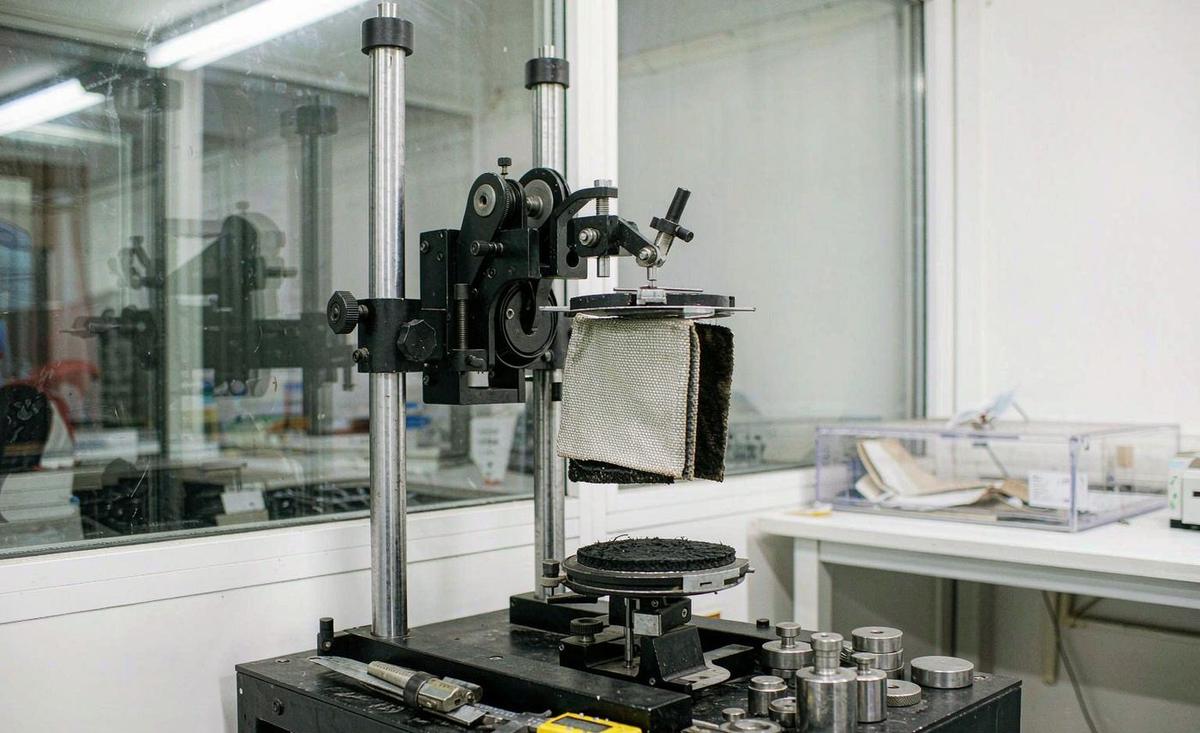
Most creators who want a tablet reward simply shrink a laptop sleeve, and it almost always underperforms. Tablet owners use their devices differently: held rather than placed, shared rather than personal, frequently paired with a stylus, and often carried alongside paper rather than instead of it. Those differences change every dimension, material and feature, which is why the two audiences in this guide are worth treating as their own product lines.
The two niches below are also unusually well suited to crowdfunding. Education buyers are numerous, vocal in professional communities and loyal once served well. Artists are highly engaged, visually driven, and generate the photography that sells campaigns. Both are far more reachable through a well built campaign than through conventional retail distribution, and both convert on specification rather than on discount. Start with the fundamentals in custom laptop bags for Kickstarter.
A tablet sleeve is not a small laptop sleeve. Decisions about lining, closure, stylus storage and flatness all reverse when the device is held rather than set down.
Why tablets deserve their own product line
The obvious argument for separating the two is size. A 13 inch laptop is roughly 300 by 215 by 15 mm and weighs about 1.3 kg. A tablet of similar screen size might be 280 by 215 by 6 mm and weigh 0.6 kg. The tablet is much thinner and much lighter, which means the padding requirements, handle requirements and acceptable bulk are all different. A laptop sleeve's padding is there for drop energy; a tablet sleeve's padding is there for corner impact and surface pressure.
The second argument is use pattern. Laptops are set down and opened. Tablets are picked up, held, handed around, propped against something and frequently used one handed while standing. That means grip texture, edge profile and how the device comes out of the sleeve matter more than they do for a machine that sits on a desk. It also means a closure that requires two hands is a design failure in this category.
The third argument is commercial rather than physical. Tablet campaigns reach audiences beyond typical tech circles: teachers, nurses, artists, field engineers, hospitality staff and musicians. Those audiences do not search for laptop bags, they search for solutions to their own carrying problem, and a product named and specified for their use case converts meaningfully better than a general one. Specialisation here is a marketing asset as much as an engineering one. The commercial consequence of separating the two is that you can write copy specifically for the audience you want, rather than a compromise description that neither teachers nor artists recognise as being written for them.
How classrooms actually use a tablet sleeve
Spend an hour in a school and the design brief writes itself. Devices go into a sleeve, into a student's bag, onto a desk, back into a bag, home on a bus, and are frequently shared between two or three students across a day. Nothing happens gently. The sleeve therefore needs to survive compression under textbooks, occasional contact with liquids, and being gripped by hands that are not always clean. It also needs to open quickly, because lesson transitions are short.
The implications are specific. Closure speed favours a magnetic flap or a low friction zip over anything with a buckle. Grip favours a textured or webbing backed panel rather than a slippery face fabric. Protection priorities invert, with corners and screen faces mattering more than top edge padding, because the device is dropped onto desks rather than off shoulders. And identification becomes essential the moment devices are shared, which most general purpose cases ignore entirely.
- Fast one handed closure. Magnetic flap or smooth running zip, nothing requiring alignment.
- Grip texture. A webbing backed or textured panel rather than a smooth slick face.
- Corner priority. Reinforced corners take more punishment than any other part of the product.
- Identification. A clear window or writable area for a name or asset tag.
- Cleanability. A lining that wipes clean rather than one that absorbs everything.
- Flat storage. Sleeves get stacked in classroom charging carts between lessons.
One further consideration is charging carts and trolleys. Many schools store tablets in carts with fixed slot widths, and a sleeve 6 mm too thick stops the device fitting its slot. If you are selling into education, ask your survey respondents whether their devices live in a cart and, if so, what the slot width is. Answering that question correctly is often the difference between a product a school can deploy and one it must return.
Durability requirements when the device is shared
Shared ownership multiplies wear. A case used by one careful owner might last years; the same case used by thirty students across a term needs significantly better material specification. Our baseline recommendation for education sleeves moves up a step from consumer practice: body fabric in the 600D to 900D polyester range rather than light terylene or thin neoprene, with reinforced binding on every edge and bartacks at every stress point.
Seam choice also changes. On a consumer sleeve, a turned and topstitched edge is adequate. On a heavy use sleeve, bound seams last far longer because binding takes the abrasion instead of the raw cut edge doing it. Binding costs slightly more in labour and almost nothing in material, which makes it one of the clearest value upgrades available in this category. Specify it explicitly, because it is not the default on low cost sleeve patterns.
Finally, pay attention to the lining a second time. The wrong lining is the single most common failure we see in education sleeves, because consumer designs specify soft brushed knit for scratch protection, which is excellent until it meets juice, glue or whiteboard marker. For classroom use we recommend a coated polyester lining, accepting a small reduction in scratch protection in exchange for a lining that can be wiped clean hundreds of times rather than once. Ask for those three upgrades together, because each is individually small and together they roughly double the realistic service life of a sleeve used every day by several people.
Sizing across tablet brands and device generations
The mistake most creators make at this point is sizing to a screen diagonal. Do not. Two tablets with identical screen sizes can differ by more than 20 mm in height or width, and generations within one product family routinely shift by several millimetres. Size to measured body dimensions in millimetres, name the specific models you support, and never write fits most tablets anywhere in your campaign copy.
| Device class | Approximate body size (mm) | Typical thickness | Sizing note |
|---|---|---|---|
| 8 to 9 inch tablet | About 200 x 135 | 6 to 8 mm | Often used with a rugged child case already fitted |
| 11 inch tablet | About 250 x 180 | 5 to 7 mm | Common classroom and field size |
| 12.9 inch tablet | About 281 x 215 | 6 to 7 mm | Artist favourite, often larger than people expect |
| 13 inch tablet with keyboard | About 290 x 215 | 12 to 20 mm | Treat as a laptop, not an accessory |
| A4 portfolio tablet | About 330 x 240 | 10 to 25 mm | Paper and device travel together |
There is also a folio question that catches out first time creators. Many owners keep their tablet in a keyboard folio or a rugged case permanently, which increases thickness by 6 to 15 mm and sometimes increases width as well. Decide explicitly whether your sleeve fits a bare device or a cased device, say which in your copy, and ideally make it obvious in the campaign imagery. Covering both usually requires either an expandable gusset or two sizes.
Where you must choose one, size for the bare device and state it. The reason is that a sleeve designed for cased devices always looks and feels sloppy on a bare one, and the majority of discerning buyers remove the folio for travel. Two sizes, clearly labelled, is usually the better structural answer and it is affordable once you are comfortably above the 500 pcs per style and per colourway threshold.
Stylus storage: the detail that decides the review
Nothing predicts review sentiment in this category better than stylus handling. A stylus costs somewhere between USD 80 and USD 180, it is thin, it is easily lost, and every owner has lost at least one. A sleeve that gives the stylus a permanent home solves a problem the buyer feels daily, and it appears in reviews more often than any other single feature. A sleeve that does not gets described as incomplete even when everything else is excellent.
- Pick the location deliberately. Along the spine edge, across the front flap, or inside the closure lip.
- Decide loop versus channel. A loop is cheaper and works for round styluses; a channel suits flat sided ones.
- Match the stylus geometry. Flattened sides and magnetic charge points need a shaped channel, not elastic.
- Keep it away from the screen face. Nothing should ever be able to press into glass.
- Test twenty removals. Magnetic attachment and repeated removal reveal fit problems immediately.
- Say which stylus you support. Name the model, because compatibility here is genuinely model specific.
Two failure modes are worth avoiding. The first is a loop so loose that the stylus falls out when the sleeve is inverted, which owners discover at the worst possible moment. The second is a channel so tight that removing the stylus requires two hands and visible effort, which owners describe as annoying rather than secure. Specify the fit by friction, meaning the stylus should be retained by contact but removable with one deliberate pull, and check it during sampling rather than guessing.
There is also a charging consideration now common on modern styluses. Some attach magnetically to the device edge to pair or charge, and a poorly positioned metal component or magnet in a sleeve can interfere or simply block the attachment point. If your audience uses those devices, keep all magnets and metal hardware well clear of the known attachment position, and confirm placement on the real device rather than on a drawing.
Classroom features: wipeable lining, stand and ID window
Beyond the stylus, three features reliably earn their cost in education designs. A wipeable lining, already discussed, is the highest value of the three. An identification window or writable panel solves the shared device problem directly and costs very little. And an internal document pocket recognises that paper and devices travel together in schools rather than replacing each other, which is a distinction most consumer cases entirely miss.
Integrated stands are more divisive. They are genuinely useful for watching, typing and following along with material, and parents like them. But they add thickness, add failure points, and add cost in the range of USD 0.80 to 2.00 depending on mechanism. Our recommendation is to treat a stand as an optional higher tier rather than a standard feature, then test demand before committing every unit to it. A rigid panel that folds is usually more robust than elastic strap systems.
- Recommended body fabric
- 600D to 900D polyester for heavy shared use
- Edge construction
- Bound seams rather than raw turned edges
- Lining
- Coated polyester, wipeable, rather than brushed knit
- Closure
- Magnetic flap or smooth zip, one handed operation
- Stylus storage
- Shaped channel or loop, retained but single pull removable
- Identification
- Clear window or writable area for names or asset tags
- Optional stand
- Typically USD 0.80 to 2.00 added depending on mechanism
Do not overlook weight. A classroom tablet plus sleeve plus stylus is carried by children for a full day, and every additional gram is noticed by both them and their parents. Prioritise the features above by frequency of use rather than by visual appeal in a product shot. When our team reviews an education brief, we routinely recommend removing one decorative feature to fund a lighter, better bound construction.
The artist niche: portfolio sleeves and format sizes
Artists are the other audience where tablets behave nothing like laptops, because a drawing tablet travels with paper. The dominant formats are A4 and A3, followed by the tablet itself, and the product that solves this is closer to a portfolio than to a sleeve. Internal dimensions therefore need to accommodate a stack of sheets as well as a device, typically adding 10 to 20 mm of depth beyond what a device only sleeve would need.
Two further requirements dominate this audience. The first is flat storage and transport. Work creases, so the sleeve should hold larger sheets against a firm panel rather than allowing them to bend, and the closure should distribute pressure evenly rather than pinching at one corner. The second is corner protection for both device and artwork, because portfolios get knocked against door frames and easel legs far more often than commuter bags do.
Artists also carry a lot of small equipment that has no home: pencil sets, erasers, blending tools, spare nibs, small rulers and sometimes a phone for reference. A zipped accessory panel sized for those items converts the sleeve from a carrying rectangle into a working kit, and it is the feature most mentioned in reviews from this audience. Keep it shallow and visible so nothing disappears, and put it on the opposite face from anything that could press into the screen. Handle choice matters here too, because a loaded portfolio is awkward to carry one handed. A wide webbing grip is usually more practical than a narrow loop when both hands are needed for everything else.
Materials for artists: PVC-free and archival considerations
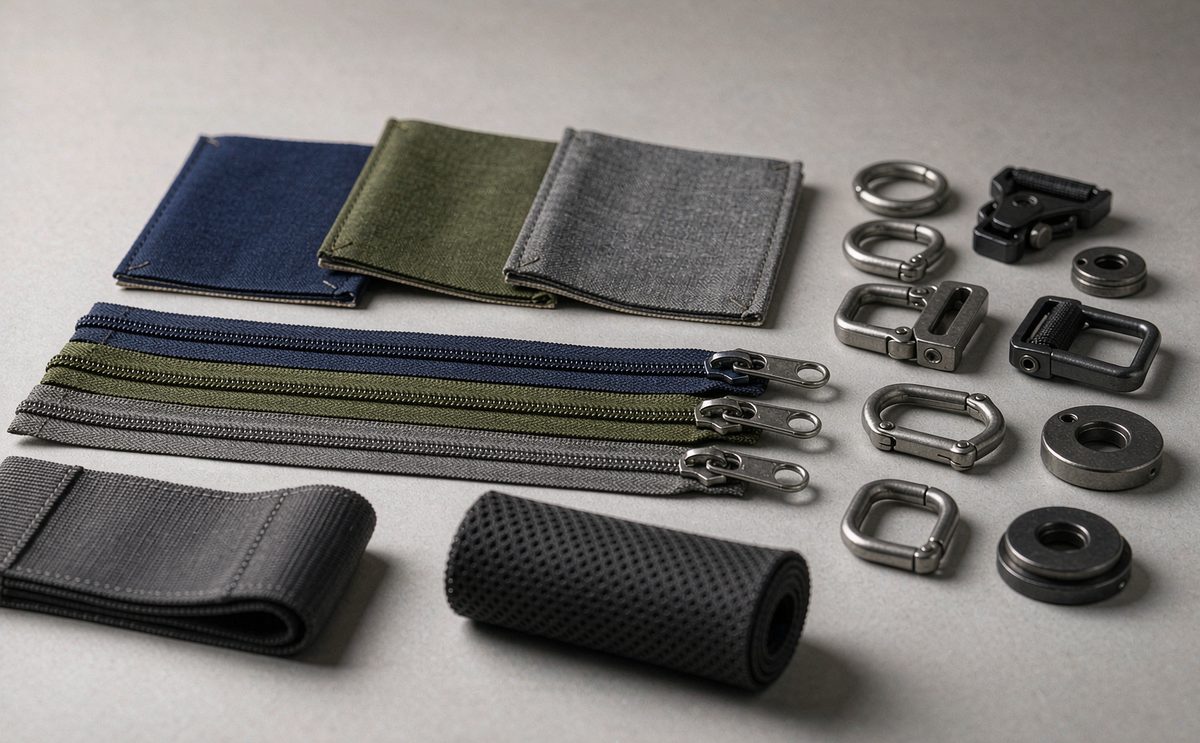
This audience asks material questions nobody else asks, because their work has value and can be damaged by chemistry. Certain plasticisers in PVC based materials migrate over time and can mark paper, prints and surfaces in contact with them. While modern formulations vary considerably, the safe and marketable answer for this audience is to specify PVC free construction and say so explicitly on the campaign page, since it is a purchase criterion for a meaningful share of artists.
Interior material also matters for the device. Drawing tablets have large glass surfaces and pressure sensitive styluses, and a lining that leaves residue or micro scratches degrades the drawing experience directly. Our recommendation is a soft, non abrasive, low shedding lining such as microfibre or brushed tricot for the device bay, kept separate from any paper compartment, where a smooth coated lining is better for sliding sheets in and out.
Finally, consider acid free or archival terminology carefully. These terms carry specific meanings in paper conservation and should only be used where the material genuinely meets the standard, with the documentation to support it. If your lining is simply clean and inert rather than certified archival, say that instead. This audience will check, and a claim unsupported by evidence does more reputational damage to a campaign than no claim at all. Where you can evidence a standard, say which one and keep the certificate on file so a follow up question can be answered within hours rather than referred indefinitely. Keep paper and device surfaces separated inside the product too, so nothing that touches sheets ever touches the drawing surface. Separation costs one additional panel and removes a category of complaint that no material upgrade can solve.
Pricing and minimums for a sleeve-led campaign
Sleeve led campaigns are generally the most accessible entry point into physical rewards. Typical unit costs for a tablet sleeve with a bonded construction, decent lining and one decoration position land substantially below a structured laptop case, and the flat packed shipping profile keeps both inbound freight and outbound fulfilment low. Combined with the minimum of 500 pcs per style and per colourway, the capital required to reach production is often within reach of a campaign that could never fund a full backpack run.
The economics do change with added features. Each of the education or artist upgrades discussed above typically adds somewhere between USD 0.30 and 2.00 per unit depending on complexity, with moulded stands and multi panel organisers at the upper end and simple identification windows at the lower end. Because these additions often let you raise the pledge price by several multiples of their cost, they are usually worth taking, provided you test them with your community first.
Quantity bands behave exactly as they do for larger bags: sampling runs 6 to 10 working days, complex builds with stands or moulded components run 12 to 15 working days, and bulk production runs 35 to 50 days after deposit and written sample approval. The full cost curve across quantity tiers, including typical saving bands, is documented in laptop bag pricing by quantity, and the terms remain FOB Xiamen with T/T 30/70. Keep the costed feature list short. Three additions chosen because your audience asked for them outperform six chosen because they looked useful in a product shot.
Tier and bundle ideas for each of these niches
For education audiences, bundle structure outperforms discounting. Schools and parents respond well to packs: a sleeve plus a labelled ID card, or a sleeve bundle of five or ten units priced for a classroom set. Volume bundles also solve your own quantity problem, because a school buying ten sleeves moves you toward your minimum faster than ten separate single unit pledges, and the fulfilment of one carton is cheaper than ten parcels.
For artist audiences, the bundle that works best pairs the sleeve with something consumable or collectable: a small print, a set of nibs, or a limited edition marker. Artists value objects made by other artists, and a physical reward that includes artwork performs far better with this niche than a discount or a digital extra does. Position the sleeve as the practical half of a reward and the artwork as the emotional half.
For both niches, add a second unit option rather than a colourway option. Schools want sets, artists often want one for the tablet and one for paper, and both convert better than a colour choice. Colourway variety is routinely overvalued by creators and undervalued by backers, whereas offering two sizes or a two unit pack addresses a real need. The add-on mechanics behind this are set out further in our campaign bag guide. Bundles also change your fulfilment picture, and multipack shipping is covered in crowdfunding rewards fulfilment, including how combined cartons reduce outbound cost per unit. Whichever structure you choose, publish per unit shipping for bundles so that multiple unit pledges can be compared honestly against single unit ones at checkout.
Quality checks specific to tablet formats
Tablet sleeves need two additions to a standard inspection plan. The first is device specific fit verification. Because the fit tolerance is tighter than most people expect, check each sampled unit against the actual named device, both bare and in folio where you claim to support it. A tablet that requires force will crack its own glass eventually, and the owner will blame your sleeve rather than the fit.
The second is stylus retention testing. Insert and remove the real stylus twenty times, then invert the sleeve and shake it moderately; the stylus should stay retained. That simple test catches the majority of stylus storage problems before production, and it takes under two minutes. Add a numeric tolerance to your inspection criteria so it can be checked objectively rather than by opinion at the packing line.
Everything else follows standard practice: inspection to AQL 2.5 to ISO 2859-1 with defects classified as critical, major or minor, and critical defects at zero acceptance. For this category we suggest defining criticality to include any closure that will not operate, any internal dimension outside your stated tolerance, and any lining that shows visible contamination. Then publish your compatibility list and hold the goods against it, exactly as described in our tablet and laptop quality testing guide. Record those checks on the approval document along with the compatibility list, because that single page is what settles any later disagreement about what the product was specified to do.
School procurement: what institutional buyers demand
It is tempting to pitch your campaign's education sleeve directly to schools as a follow on sales channel, and it is genuinely attractive because procurement orders are large and repeat. Be aware that institutional buying differs from consumer buying in three ways that affect your product decision long before they affect your sales approach: safety documentation requirements, minimum order expectations and procurement cycles measured in months rather than days.
On documentation, expect institutions to ask about restricted substances, particularly in any item that could be used by children. If that channel matters to you, specify to the strictest applicable standard from the beginning rather than retrofitting later, because the same product cannot easily be relabelled for a different standard once produced. Name every component material in your technical pack, since anything unnamed cannot be assessed by anyone.
On timing, plan honestly. Procurement rarely coincides with a campaign shipping window, and institutional budgets frequently reset on a fiscal year. The pragmatic approach is to treat schools as a later channel, shipping initial volumes to campaign backers first and holding either surplus inventory or a second production wave for the institutional conversation. Either way, keep your support model simple: sleeve designs with standard construction and clear compatibility are much easier to place than anything bespoke.
Key takeaways
- Size to measured device dimensions in millimetres and to a named model, never to a screen diagonal, and never allow the phrase fits most tablets in your copy.
- For education specify a wipeable coated lining and bound seams; for artists specify PVC-free construction and a non marking device bay lining.
Build a sleeve that fits the way the tablet is used
Send us the tablet model and stylus you need to fit, whether it travels with a folio or paper, and your target quantity. As your production partner we will return a costed specification with lining, storage and construction defined, sampling at 6 to 10 working days and a booked 35 to 50 day production window on FOB Xiamen terms. Write to service@junyuanbags.com.
Frequently Asked Questions
How much does a custom tablet sleeve cost to produce?
A tablet sleeve with bonded construction, decent lining and one decoration position costs substantially less than a structured laptop case, and its flat packed profile keeps inbound and outbound shipping low. Individual features typically add USD 0.30 to 2.00 per unit. Minimum quantity is 500 pcs per style and per colourway.
Can I size a sleeve to a screen size rather than a model?
We strongly advise against it. Two tablets with the same screen diagonal can differ by more than 20 mm in body dimensions, and generations within one family shift by several millimetres. Size to measured millimetres, name the specific models supported, and verify against the real device during inspection.
Should the sleeve fit a tablet with its keyboard folio on?
Decide explicitly and state it clearly. A folio typically adds 6 to 15 mm of thickness and sometimes width. Covering both bare and cased devices usually needs an expandable gusset or two sizes. Where you must pick one, size for the bare device, since most discerning owners remove the folio for travel.
What lining works best for education use?
A coated polyester lining that wipes clean. Consumer designs use soft brushed knit for scratch protection, which is excellent until it meets juice, glue or marker. For shared or classroom devices, cleanability matters more than the small reduction in scratch protection you accept by moving to coated material.
How important is stylus storage in a tablet sleeve?
It is the single feature most mentioned in reviews for this category. A stylus costs USD 80 to USD 180, is thin and is easily lost. Specify retention by friction, meaning it stays when the sleeve is inverted but comes free with one deliberate pull, and test twenty removals during sampling.
What should artists expect from a portfolio sleeve?
Flat storage against a firm panel so sheets do not crease, even closure pressure rather than a single pinch point, corner protection for both device and artwork, and a zipped panel for pencils, nibs and tools. Handle sizes should cover A4 and A3 paper alongside the tablet itself.
Is PVC-free construction worth specifying for an artist campaign?
Yes. Some plasticisers migrate over time and can mark paper or prints, and a meaningful share of artists treat PVC-free as a purchase criterion. Specify it, say so on the campaign page, and use archival terminology only where the material genuinely meets the standard with documentation to support it.
What is the minimum order for a tablet sleeve campaign?
500 pcs per style and per colourway. Because sleeves are lighter and less material intensive than structured bags, reaching that threshold generally requires less capital, which makes a sleeve led campaign the most accessible route into physical rewards for many first time creators.
How long do sampling and production take?
Standard sampling runs 6 to 10 working days, rising to 12 to 15 working days for complex builds with stands or moulded components. Bulk production runs 35 to 50 days after deposit and written sample approval. Add inbound freight of 25 to 40 days plus customs clearance when you set your delivery promise.
Do I need an integrated stand in the sleeve?
It depends on your audience and it costs USD 0.80 to 2.00 per unit depending on mechanism. Stands are genuinely useful for watching and typing but add thickness and failure points. Our recommendation is to offer it as a higher tier option and test demand before committing every unit to it.
How do I sell wholesale to schools after my campaign?
Plan it as a later channel rather than expecting procurement to align with your shipping window. Institutions ask for restricted substance documentation and usually order on their own budget cycle. Treat the campaign as the first wave and hold a second wave or surplus inventory for the institutional conversation.
What quality checks suit a tablet sleeve specifically?
Device specific fit verification against the named model, stylus retention testing of around twenty cycles plus inversion, and standard AQL 2.5 to ISO 2859-1 inspection for appearance and construction. Treat a non operating closure, an out of tolerance internal dimension and a contaminated lining as critical defects.
People Also Ask
Is a tablet sleeve just a smaller laptop sleeve?
No. Its padding protects against surface pressure and corner impact rather than drop energy from height, and closures must work one handed. Lining, grip and flatness decisions all reverse when the device is held rather than set down.
Which tablet sizes should a sleeve cover?
Size by measured millimetres and support specific named models. Common bands are around 200 by 135 mm for compact tablets, 250 by 180 mm for 11 inch class devices and 281 by 215 mm for larger drawing tablets.
Do education buyers need special features?
Yes: wipeable lining, bound seams for longevity, fast one handed closure, a grip texture, an identification window for shared devices and often a document pocket, because paper and devices still travel together in schools.
Should I offer multiple sizes or multiple colours?
Multiple sizes or pack sizes. Colourway variety is routinely overvalued by creators and undervalued by backers, whereas two sizes directly addresses whether the device travels bare or in a folio, and bundle packs suit classroom buying.
How do I stop losing styluses?
Give the stylus a dedicated home in the design: a shaped channel or a properly sized loop, retained by friction but removable with one deliberate pull. Test by inverting the sleeve, then publish which specific stylus models your design supports.
Can I claim the sleeve protects against scratches?
Yes, if you specify a non abrasive low shedding lining such as microfibre or brushed tricot and keep hard objects away from the device face. Avoid implying protection levels you have not actually tested and stated in writing.
What fabric suits heavy classroom use?
600D to 900D polyester with bound edges and bartacks at every stress point. Light thin neoprene or decorative terylene wears quickly when a device is handled by several people every day.